Even though the classic View toolkit is in maintenance mode, Android’s hardware rendering engine continues to gain new GPU primitives. Jetpack Compose sits directly on top of that engine. Starting in androidx.compose.ui:ui-graphics:1.12.0 and androidx.compose.foundation:foundation:1.13.0-rc01, many effects that previously required custom OpenGL pipelines or heavy Path math now ship as small, composable APIs.
In their Android Dev Summit talk, Elevate your apps with the latest graphics features in Jetpack Compose and Android, Rebecca Franks, Aayush Chaudhary, and Rahul Ray organized Android graphics into three layers:
- High-level Compose APIs: Ready-to-use primitives like
MeshGradientPainter,PolygonShape,MorphPolygonShape, and progressiveModifier.blur. - Intermediate Compose hooks:
DrawScope,DrawModifierNode, and AGSL shaders (RuntimeShader,RuntimeColorFilter) for custom pixel effects. - Platform rendering primitives: Direct access to
nativeCanvas.drawMesh,RenderNode.setBackdropRenderEffect, andSurfaceView.setBlurRegionswhenever a platform feature has not yet been wrapped by a Compose modifier.
Graphics terminology can get abstract quickly. Below, we break down each feature from the session using plain mental models, minimal visual demos, and the exact performance rules that keep scroll frame rates steady.
[versions]compose = "1.13.0-rc01"
[libraries]androidx-compose-foundation = { group = "androidx.compose.foundation", name = "foundation", version.ref = "compose" }androidx-compose-ui = { group = "androidx.compose.ui", name = "ui", version.ref = "compose" }androidx-compose-ui-graphics = { group = "androidx.compose.ui", name = "ui-graphics", version.ref = "compose" }
2D color grids with MeshGradientPainter
Linear, radial, and sweep gradients blend colors along a single direction. If you want a soft multi-color background or a breathing glow behind an input bar, a 1D gradient looks flat.
Think of a mesh gradient as a stretchy rubber sheet divided into a grid of squares called patches. Every corner where grid lines cross is a vertex. A grid with rows and columns patches has (rows + 1) * (columns + 1) vertices. You pin a color to each vertex and place it using normalized coordinates from (0f, 0f) at the top-left to (1f, 1f) at the bottom-right.
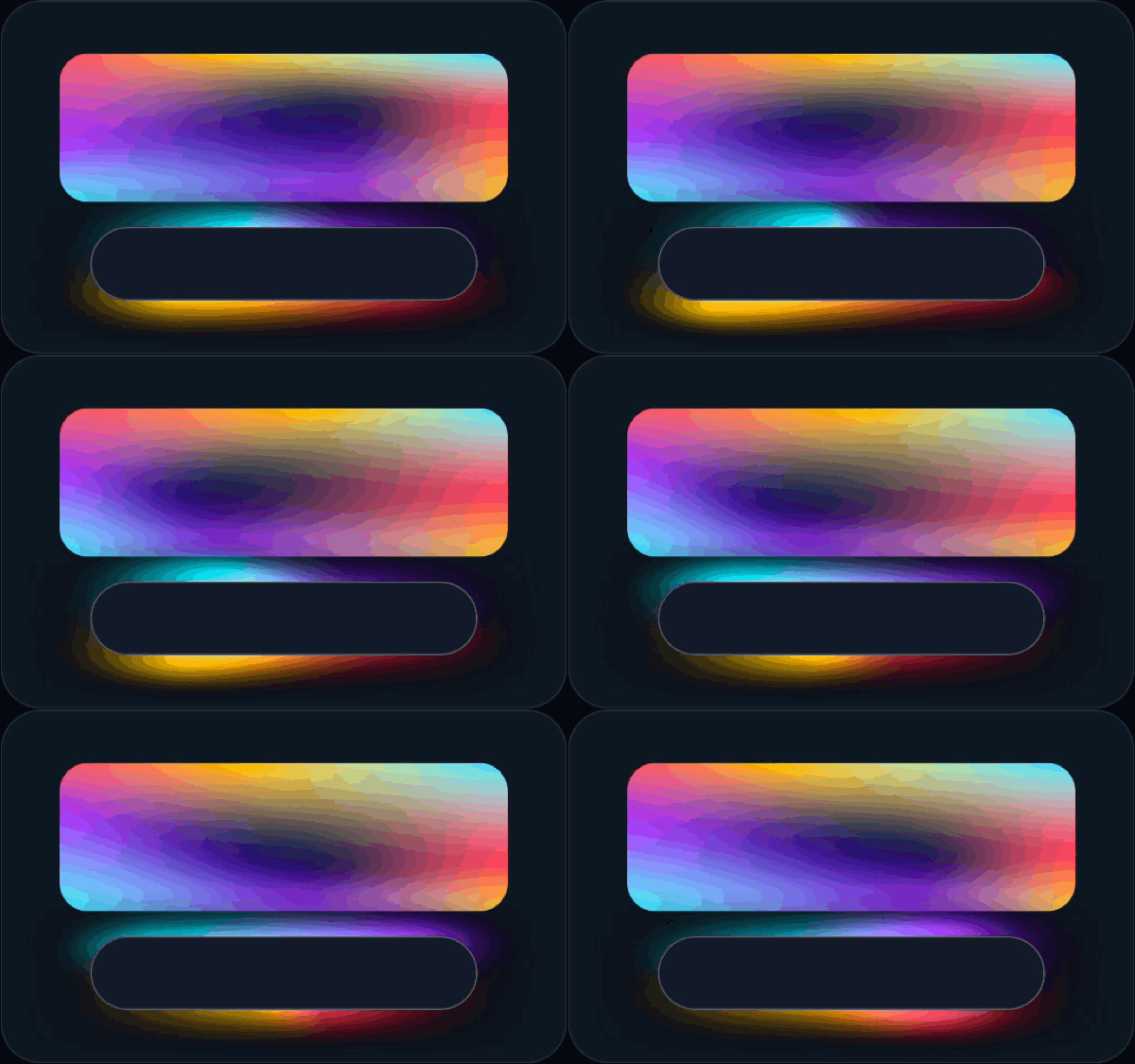
Compose 1.12 added MeshGradientPainter in androidx.compose.ui.graphics. Its configuration lambda runs inside DrawScope, so reading an animated State<Float> inside MeshGradientPainter updates vertex positions on the draw pass without triggering recomposition or re-allocating the painter:
val transition = rememberInfiniteTransition(label = "meshGlow")val phase1 = transition.animateFloat(    initialValue = 0f,    targetValue = (2 * PI).toFloat(),    animationSpec = infiniteRepeatable(        animation = tween(durationMillis = 2800, easing = LinearEasing),    ),    label = "phase1",)val phase2 = transition.animateFloat(    initialValue = 0f,    targetValue = (2 * PI).toFloat(),    animationSpec = infiniteRepeatable(        animation = tween(durationMillis = 4200, easing = LinearEasing),    ),    label = "phase2",)
val cardMeshPainter = remember {    MeshGradientPainter(rows = 2, columns = 2, hasBicubicColor = true) {        val dx = sin(phase1.value) * 0.14f        val dy = cos(phase2.value) * 0.14f
        setVertex(0, 0, Offset(0f, 0f), coral)        setVertex(0, 1, Offset(0.5f + dx, 0f), amber)        setVertex(0, 2, Offset(1f, 0f), cyan)
        setVertex(1, 0, Offset(0f, 0.5f - dy), violet)        setVertex(1, 1, Offset(0.5f - dx, 0.5f + dy), deepIndigo)        setVertex(1, 2, Offset(1f, 0.5f + dy), coral)
        setVertex(2, 0, Offset(0f, 1f), cyan)        setVertex(2, 1, Offset(0.5f - dx, 1f), violet)        setVertex(2, 2, Offset(1f, 1f), amber)    }}
Box(    modifier = Modifier        .fillMaxWidth()        .height(105.dp)        .graphicsLayer()        .clip(RoundedCornerShape(20.dp))        .paint(cardMeshPainter),)
Two details make a big visual difference here:
hasBicubicColor = true: By default, the GPU splits each grid square into flat triangles and blends colors linearly, which can leave faint diagonal creases where triangles meet. EnablinghasBicubicColorswitches to Catmull-Rom spline interpolation so colors curve smoothly into one another.- Pinning the outer ring for ambient glows: Notice the glowing pill at the bottom of the GIF. If you draw a mesh behind a card and move its border vertices, you get a hard rectangular edge around the glow. Pinning all outer-ring vertices to stationary edge coordinates with
Color.Transparentwhile orbiting only the interior vertices lets the glow fade out naturally before reaching the box boundary. Drivingphase1(2800ms) andphase2(4200ms) at different durations keeps the motion from looking mechanical.
Custom geometry with Canvas.drawMesh
On Android 14 (API 34) and higher, MeshGradientPainter uses the platform’s Canvas.drawMesh API under the hood. Sometimes you want to draw a shape that MeshGradientPainter, Path, and RuntimeShader cannot express cleanly on their own, such as a waving ribbon whose thickness swells as a pulse travels from left to right.
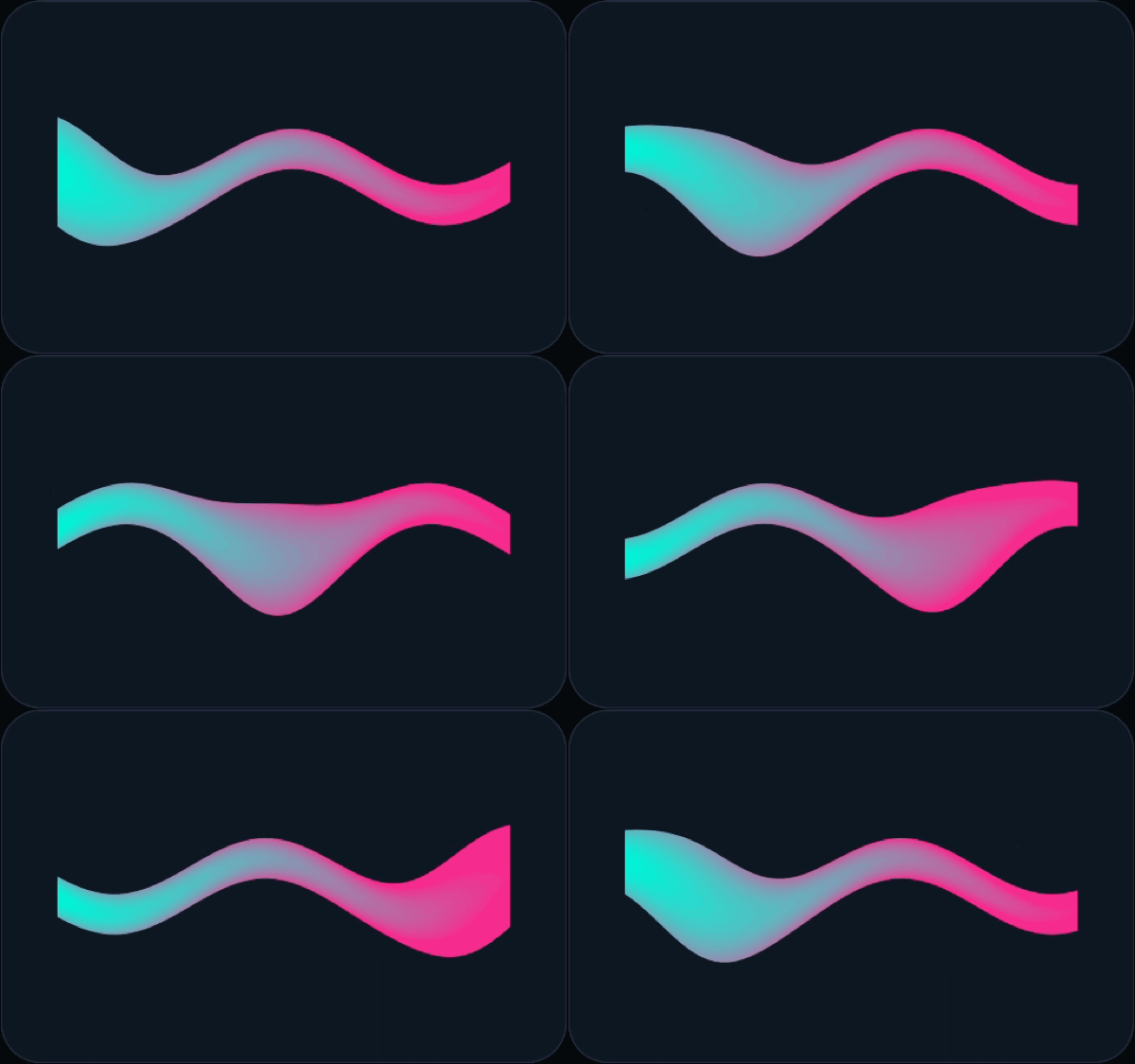
If you flatten a Path into hundreds of tiny segments (path.flatten(0.5f)) and call drawLine in a loop, every segment triggers a separate draw call and the whole path is stuck with a single stroke width. A standalone RuntimeShader also falls short because it only receives a pixel’s (x, y) coordinates inside the container; it has no cheap way to know how far that pixel sits along a curved path or how far it is from the stroke’s centerline.
Canvas.drawMesh gives you both a vertex shader and a fragment shader. You can picture the GPU pipeline in three steps:
- Vertex shader (places the corners): We build the ribbon out of a strip of triangles (
Mesh.TRIANGLE_STRIP). Each corner in ourByteBufferonly stores two numbers (corner.xfrom0..1for progress along the line, andcorner.yas-1for+1ffor the left or right side of the stroke). The vertex shader runs once per corner, widens the stroke where the pulse is passing, and outputs the final pixel position plus astrokebundle (along,across,radius). - Rasterizer (blends between corners): For every pixel covered by a triangle, the GPU automatically blends the numbers from its three corners. Because one side of the ribbon is
-radiusand the other is+radius, pixels sitting right on the centerline automatically interpolate to0. - Fragment shader (colors each pixel): Takes
abs(v.stroke.y)to get the exact pixel distance from the centerline, softens the outer edge withsmoothstep, and mixes the start and end colors along the ribbon.
private object RibbonMeshShaders {    const val VERTEX = """        uniform float2 uStart;        uniform float2 uEnd;        uniform float uHalfWidth;        uniform float uTime;
        Varyings main(const Attributes a) {            Varyings v;            float2 dir = uEnd - uStart;            float2 normal = normalize(float2(-dir.y, dir.x));            float along = a.corner.x * length(dir);            float wave = sin(a.corner.x * 9.424778 - uTime * 6.283185) * uHalfWidth * 0.9;            float pulseDist = a.corner.x - fract(uTime);            float radius = uHalfWidth * (0.65 + 1.15 * exp(-(pulseDist * pulseDist) / 0.025));            float across = a.corner.y * (radius + 1.5);            v.position = uStart + dir * a.corner.x + normal * (wave + across);            v.stroke = float3(along, across, radius);            return v;        }    """
    const val FRAGMENT = """        uniform float uLength;        layout(color) uniform float4 uStartColor;        layout(color) uniform float4 uEndColor;
        float2 main(const Varyings v, out float4 color) {            float dist = abs(v.stroke.y);            float coverage = 1.0 - smoothstep(v.stroke.z - 1.2, v.stroke.z + 1.2, dist);            float side = dist / max(v.stroke.z, 0.001);            float t = clamp(v.stroke.x / max(uLength, 1.0) + 0.35 * side * side, 0.0, 1.0);            float4 ink = mix(uStartColor, uEndColor, t);            color = ink * coverage;            return v.position;        }    """
    val specification: MeshSpecification by lazy(LazyThreadSafetyMode.NONE) {        MeshSpecification.make(            arrayOf(MeshSpecification.Attribute(MeshSpecification.TYPE_FLOAT2, 0, "corner")),            8, // Two 4-byte floats per vertex            arrayOf(MeshSpecification.Varying(MeshSpecification.TYPE_FLOAT3, "stroke")),            VERTEX,            FRAGMENT,        )    }}
Compose’s Canvas does not expose drawMesh directly yet, so we build the Mesh inside Modifier.drawWithCache and draw it through canvas.nativeCanvas.drawMesh:
Box(    modifier = Modifier        .fillMaxSize()        .graphicsLayer()        .drawWithCache {            val segments = 80            val buffer = ByteBuffer                .allocateDirect((segments + 1) * 2 * 8)                .order(ByteOrder.nativeOrder())            for (i in 0..segments) {                val t = i / segments.toFloat()                buffer.putFloat(t).putFloat(-1f)                buffer.putFloat(t).putFloat(1f)            }            buffer.rewind()
            val mesh = Mesh(                RibbonMeshShaders.specification,                Mesh.TRIANGLE_STRIP,                buffer,                (segments + 1) * 2,                RectF(0f, 0f, size.width, size.height),            )            val paint = android.graphics.Paint()
            onDrawBehind {                mesh.setFloatUniform("uTime", time.value)                drawIntoCanvas { canvas ->                    canvas.nativeCanvas.drawMesh(mesh, android.graphics.BlendMode.DST, paint)                }            }        },)
Wide color gamut support in Compose 1.12
Traditional apps work inside sRGB, a standard range of colors designed decades ago for older monitors. Modern OLED phone screens can physically display deeper reds, richer greens, and brighter highlights than sRGB can describe.
Compose 1.12 respects wide color spaces such as ColorSpaces.DisplayP3, ColorSpaces.ExtendedSrgb (where channel values above 1.0f represent HDR brightness), and ColorSpaces.Bt2020Hlg. Even on a standard sRGB display, interpolating gradients in a wider or linear color space avoids the muddy gray middle zone and visible color stepping (banding) that often appear when blending saturated colors in 8-bit sRGB.
If you leave the host Window in its default mode, Android clips any wide-gamut GPU output back down to 8-bit sRGB. Because wide-gamut composition uses extra memory bandwidth and power, enable it only on screens that actually display rich graphics or photos. You can set android:colorMode="wideColorGamut" on the <activity> tag or toggle it dynamically from Compose:
@Composablefun WideColorGamutWindowEffect() {    val activity = LocalContext.current as? Activity    DisposableEffect(activity) {        val window = activity?.window        if (window != null && window.isWideColorGamut) {            window.colorMode = ActivityInfo.COLOR_MODE_WIDE_COLOR_GAMUT        }        onDispose {            window?.colorMode = ActivityInfo.COLOR_MODE_DEFAULT        }    }}
val VividP3Red = Color(    red = 1.0f,    green = 0.05f,    blue = 0.05f,    alpha = 1.0f,    colorSpace = ColorSpaces.DisplayP3,)
When loading photos, stick to Bitmap.Config.HARDWARE (which Coil and Glide use by default) and avoid RGB_565, which drops color precision and introduces visible banding.
Native polygons and zero-recomposition morphing in Compose 1.13
Before Compose 1.13, clipping an avatar or button into a scalloped badge meant building a RoundedPolygon from androidx.graphics:graphics-shapes, converting it to an Android Path, and writing a custom Shape wrapper that manually scaled and translated a Matrix inside createOutline.
androidx.compose.foundation.shape in 1.13.0-rc01 introduces PolygonShape and MorphPolygonShape as native Compose Shape implementations. PolygonShape gives you layout size and Density directly in its builder, alongside built-in factories like PolygonShape.circle(), PolygonShape.regularPolygon(...), PolygonShape.pill(), and PolygonShape.star(...) with CornerRounding.dp(...) or CornerRounding.fraction(...):
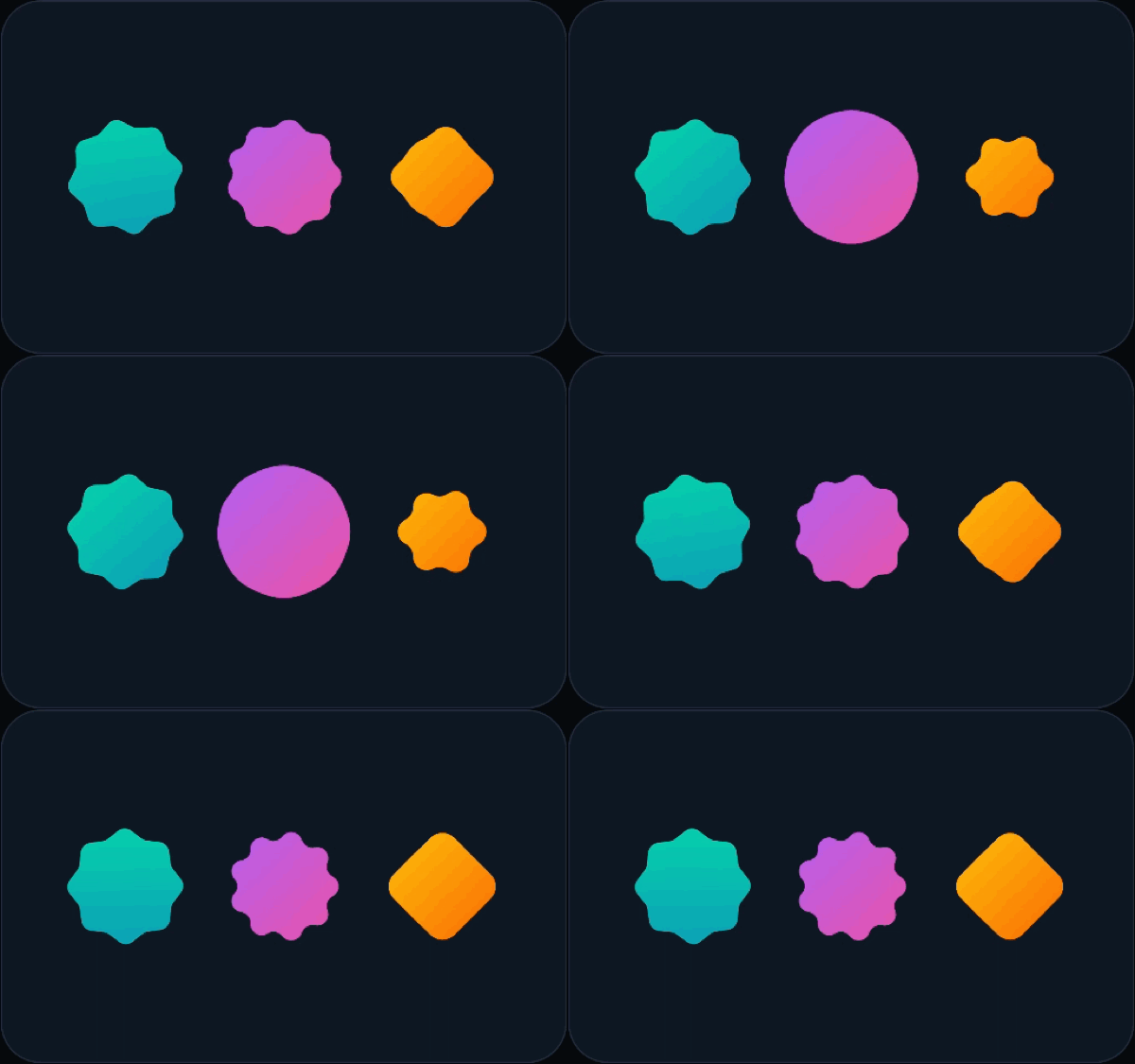
val badgePolygon = remember {    PolygonShape {        val vertices = List(16) { i ->            val radius = (size.minDimension / 2f) * if (i % 2 == 0) 1f else 0.82f            val angle = i * PI.toFloat() / 8f            size.center + Offset(cos(angle), sin(angle)) * radius        }        polygon(vertices, rounding = CornerRounding.dp(8.dp))    }}
val circleToStarShape = remember {    MorphPolygonShape(        start = PolygonShape.circle(),        end = PolygonShape.star(            numPoints = 9,            innerRadiusRatio = 0.62f,            outerRounding = CornerRounding.fraction(0.5f),        ),    ) { progress.value }}
Box(    modifier = Modifier        .size(96.dp)        .clip(circleToStarShape)        .background(Brush.linearGradient(listOf(Color(0xFFA855F7), Color(0xFFEC4899)))),)
Compose renders each frame in three steps: Composition (what UI tree to build), Layout (how big things are and where they sit), and Drawing (recording paint commands). MorphPolygonShape takes { progress.value } as a trailing lambda and reads it only when resolving the shape’s Outline right before drawing. As the button morphs between a circle and a star at 120 Hz, zero recompositions occur, which you can verify directly with a CompositionObserver.
Progressive blurs, backdrop effects, and SurfaceView blur regions
Progressive blur in Compose 1.13
Modifier.blur(10.dp) has existed since Android 12, applying one uniform blur radius across an entire composable. UI surfaces like edge-to-edge headers and photo cards usually look cleaner when sharpness fades gradually into a blur instead of stopping at a hard line.
Compose 1.13 adds a block-based Modifier.blur { ... } overload driven by BlurRadiusSpec (supported on Android 13 / API 33+, while older devices safely render unblurred). In the demo below, crisp circles glide between the top zone (0.dp blur) and the bottom edge (32.dp blur):
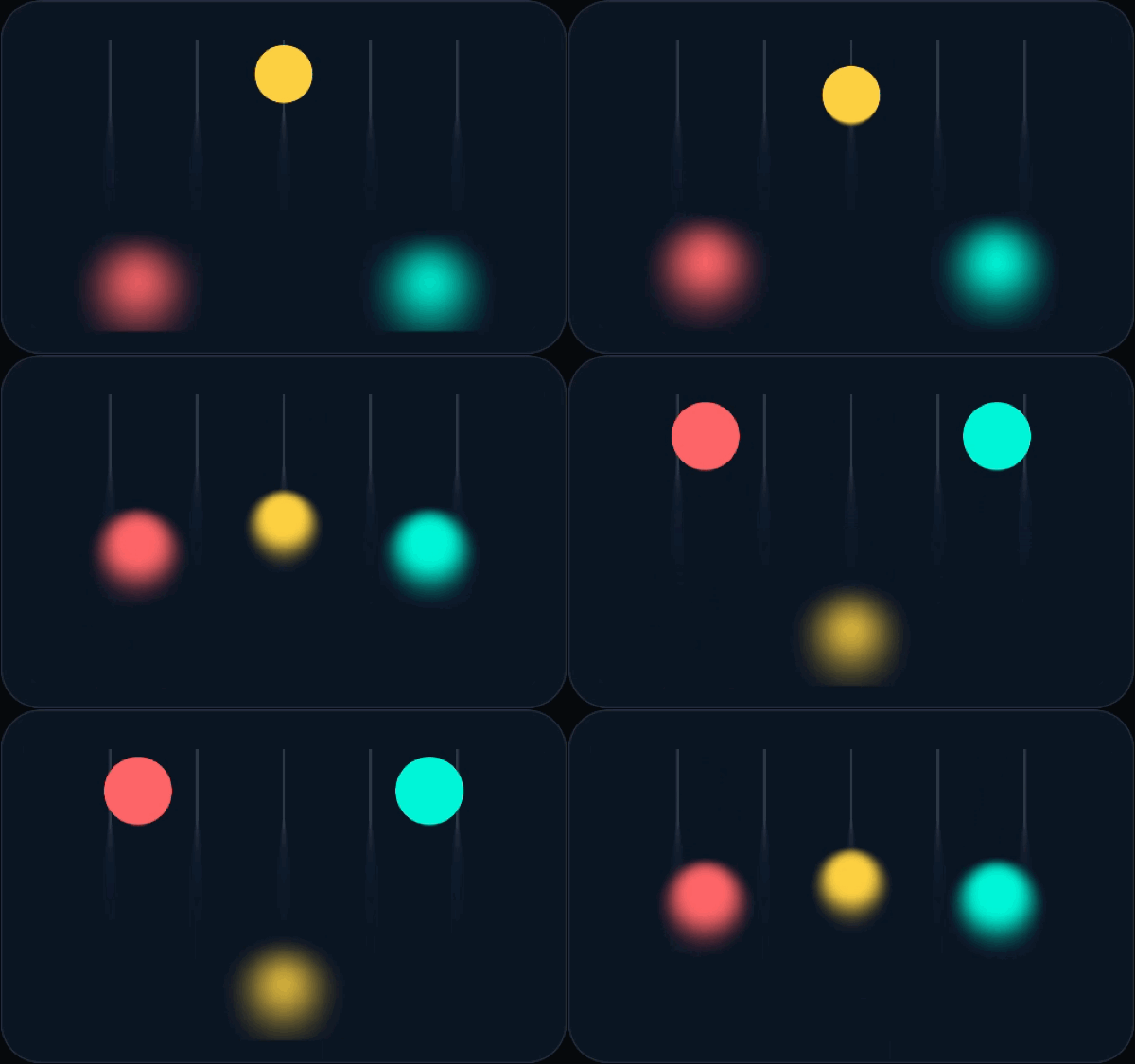
Box( modifier = Modifier .fillMaxSize() .blur { blurRadiusSpec = BlurRadiusSpec.verticalGradient( listOf( BlurStop(0.28f, 0.dp), BlurStop(0.95f, 32.dp), ), ) edgeTreatment = BlurredEdgeTreatment.Unbounded },) { // Content drawn inside this container transitions smoothly from sharp to blurred MovingOrbsCanvas()}BlurRadiusSpec includes uniform, verticalGradient, horizontalGradient, linearGradient, radialGradient, and BlurRadiusSpec.shader(maxRadius = 24.dp) { customRuntimeShader }, which maps the 0..1 alpha channel of any AGSL shader directly to a pixel’s blur radius. Keep in mind that Modifier.blur blurs the content inside the modified container; placing it on an empty overlay Box draws nothing.
Layer blur vs. backdrop blur (API 37.2)
If you put Modifier.blur on a TopAppBar, you get layer blur: the app bar’s own title text and icons turn unreadable while chat messages scrolling behind it stay sharp. What frosted-glass bars need is backdrop blur, where the text and icons on the bar stay razor-sharp while pixels underneath the bar are sampled and blurred.
Under the hood, Compose records UI layers into hardware-accelerated RenderNode display lists. Starting in Android API 37.2, RenderNode.setBackdropRenderEffect samples whatever sits behind that RenderNode on screen. While the Compose team builds a first-party backdrop blur modifier (with a backport in progress), you can wire it up on API 37.2 inside a custom DrawModifierNode and even chain saturation or lens shaders with RenderEffect.createChainEffect:
private class BackdropBlurNode(    var spec: BlurRadiusSpec,) : Modifier.Node(), DrawModifierNode {    private var renderNode: RenderNode? = null
    override fun ContentDrawScope.draw() {        val node = renderNode ?: RenderNode("backdrop").also { renderNode = it }        node.setPosition(0, 0, size.width.toInt(), size.height.toInt())
        val blurEffect = spec.createRenderEffect(size, this)        val saturation = ColorMatrix().apply { setSaturation(1.3f) }        val vibrancyEffect = android.graphics.RenderEffect.createColorFilterEffect(            android.graphics.ColorMatrixColorFilter(saturation),        )        // Blur background pixels first, then boost saturation for frosted glass        if (blurEffect != null) {            node.setBackdropRenderEffect(                android.graphics.RenderEffect.createChainEffect(vibrancyEffect, blurEffect.asAndroidRenderEffect()),            )        }
        drawIntoCanvas { it.nativeCanvas.drawRenderNode(node) }        drawContent() // Crisp foreground icons and title text draw on top    }}
Blurring video controls with SurfaceView.setBlurRegions
Even with RenderNode backdrop effects, blurring a play/pause bar over a SurfaceView video player used to be impossible. A SurfaceView does not live inside your app’s RenderNode drawing tree. Instead, it punches a transparent hole through your window so the system compositor can display video frames on a separate hardware plane behind your UI. Because Compose never sees the SurfaceView buffer, it cannot sample those pixels.
Android API 37 introduces SurfaceView.setBlurRegions, which hands rounded-rectangle blur regions directly to the system compositor in SurfaceView-local coordinates:
@RequiresApi(37)fun applySurfaceViewControlBlur( surfaceView: SurfaceView, controlBoundsInSurface: RectF, cornerRadiusPx: Float, blurRadiusPx: Float, alpha: Float = 1f,) { val region = RoundedRectBlurRegion().apply { bounds = controlBoundsInSurface setCornerRadii(cornerRadiusPx.coerceAtLeast(0f)) this.alpha = alpha.coerceIn(0f, 1f) blurRadius = blurRadiusPx.coerceAtLeast(0f) } surfaceView.setBlurRegions(listOf(region))}Per-pixel color grading with RuntimeColorFilter
Android 13 introduced RuntimeShader for generating patterns from (x, y) coordinates, but color filters on images were still limited to fixed 4x5 ColorMatrix math or blend modes. Android 16 (API 36) adds RuntimeColorFilter, an AGSL-powered ColorFilter whose main(half4 inColor) function receives each source pixel’s premultiplied RGBA color and returns a new color.
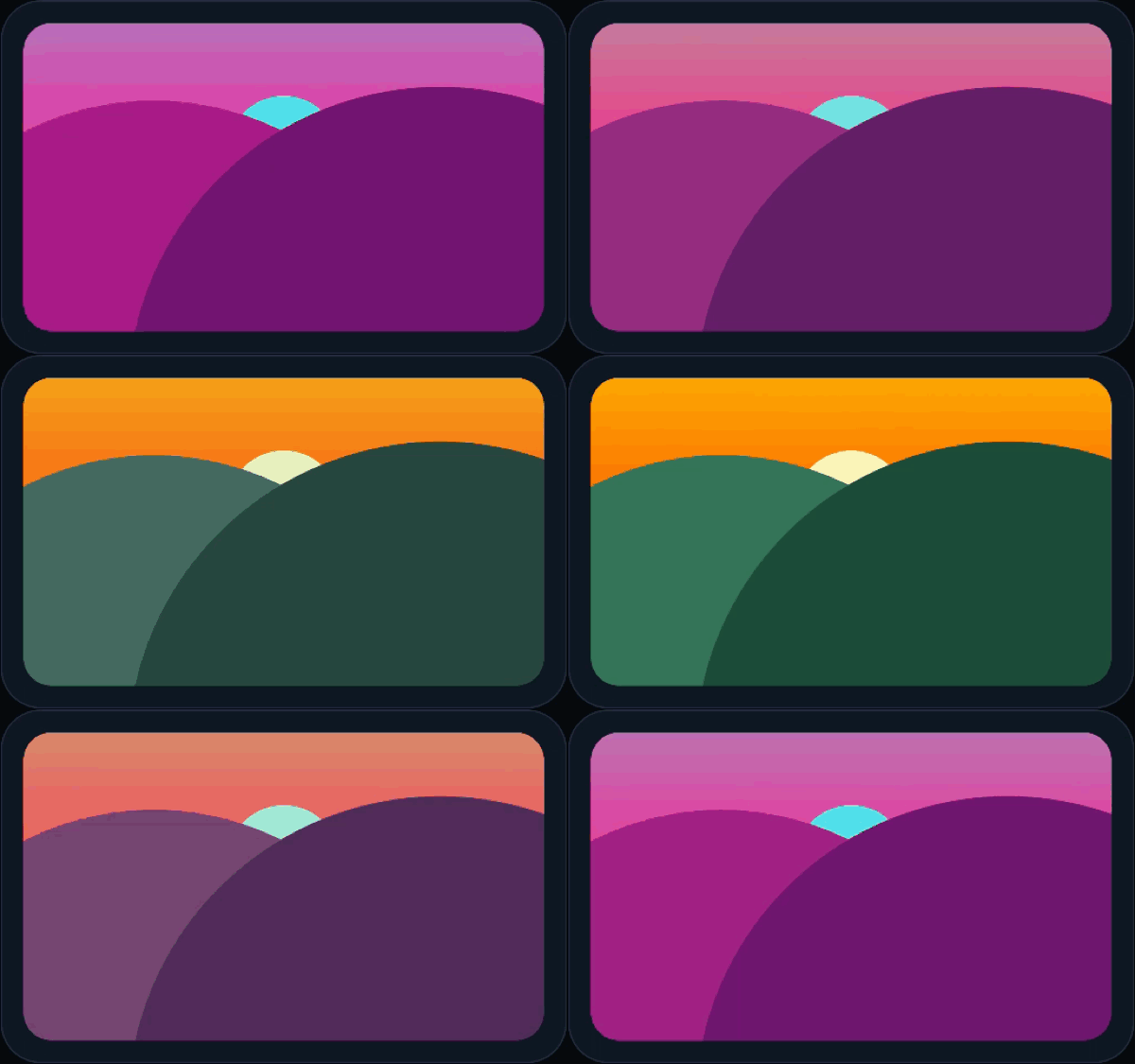
You can pass RuntimeColorFilter(...).asComposeColorFilter() directly to Coil’s AsyncImage(colorFilter = ...) or apply it to any Composable subtree via saveLayer:
private object CachedColorFilters {    private const val CYBERPUNK_AGSL = """        uniform float uIntensity;
        half4 main(half4 inColor) {            float lum = dot(inColor.rgb, half3(0.299, 0.587, 0.114));            half3 shadow = half3(0.06, 0.04, 0.28);            half3 mid = half3(0.95, 0.10, 0.62);            half3 high = half3(0.12, 0.96, 0.98);            half3 graded = lum < 0.5                ? mix(shadow, mid, lum * 2.0)                : mix(mid, high, (lum - 0.5) * 2.0);            return half4(mix(inColor.rgb, graded * inColor.a, uIntensity), inColor.a);        }    """
    @get:RequiresApi(Build.VERSION_CODES.BAKLAVA)    val cyberpunk: RuntimeColorFilter by lazy(LazyThreadSafetyMode.NONE) {        RuntimeColorFilter(CYBERPUNK_AGSL)    }}
One practical Skia detail when animating uniforms on a RuntimeColorFilter bound to an android.graphics.Paint: if you mutate filter.setFloatUniform(...) and assign the same RuntimeColorFilter instance back onto the same Paint, clear paint.colorFilter = null before re-assigning paint.colorFilter = filter so SkPaint pulls the updated native uniform values on that frame.
Three graphics performance rules from Perfetto traces
Rich visual effects only feel good if scrolling stays locked at 60 or 120 fps. In the final part of the talk, Aayush Chaudhary ran a Compose scroll Macrobenchmark (defaultComposeScrollingMetrics()) over a chat feed running all of these effects at once and queried Perfetto’s frame timeline table for missed deadlines:
SELECT count(*) AS late_framesFROM actual_frame_timeline_sliceWHERE upid = (SELECT upid FROM process WHERE name = 'com.example.compose.jetchat.perf') AND jank_type LIKE '%App Deadline Missed%';Inspecting the missed frames surfaced three concrete fixes that apply to almost any graphics-heavy Compose screen:
1. Never decode full-size bitmaps on the main thread
During LazyColumn scroll prefetching, Compose prepares the next off-screen item in the brief idle gap between frames. Loading a chat attachment with painterResource(R.drawable.photo) does not know the Image modifier is only 160.dp, so it synchronously decodes the full multi-megapixel bitmap on the main thread (blocking frame 1) and forces RenderThread to upload all of those extra pixels to the GPU when the item enters the viewport (delaying frame 2).
Whenever Android draws a huge bitmap into a small box, it logs a marker in the Perfetto trace showing the full bitmap pixel dimensions next to the target view pixel dimensions. Dividing the target pixels by screen density gives the exact dp size (160.dp) to grep for in your codebase. Replacing painterResource with an async loader like Coil’s AsyncImage measures the 160.dp container first, decodes only the needed resolution on a background thread, and drops main-thread image decode time to zero.
2. Parse RuntimeShader and RuntimeColorFilter strings once
While Android compiles and caches GPU shader binaries, calling RuntimeShader(SOURCE) or RuntimeColorFilter(SOURCE) still parses the AGSL string on the main thread every time a component enters composition, costing hundreds of microseconds per instance. Hoist shader creation into a remember block or a process-wide by lazy(LazyThreadSafetyMode.NONE) singleton (as shown in RibbonMeshShaders and CachedColorFilters above) and update per-frame inputs with setFloatUniform. In the JetChat jump-to-bottom button, caching the two lens shaders made effect setup roughly 40x faster.
3. Wrap per-frame draw animations in Modifier.graphicsLayer()
Reading animated state inside Modifier.drawBehind skips Composition and Layout, which sounds free, yet Android’s RenderNode display list works like a recorded tape of drawing commands. It cannot overwrite a single command in the middle of that tape.
When drawBehind invalidates on every frame, Compose walks up the node tree looking for the nearest RenderNode (graphicsLayer) to re-record. If your animated glow Box does not have its own graphicsLayer(), that walk can reach the root of the screen, forcing Compose to re-record draw commands for the entire UI on every VSync. Adding .graphicsLayer() right before .drawBehind or .paint(meshPainter) stops the invalidation walk at that Box, saving ~0.2 ms of main-thread draw time on every frame.